CloseTheDoor – Port Scanning and Information Tool
 CloseTheDoor
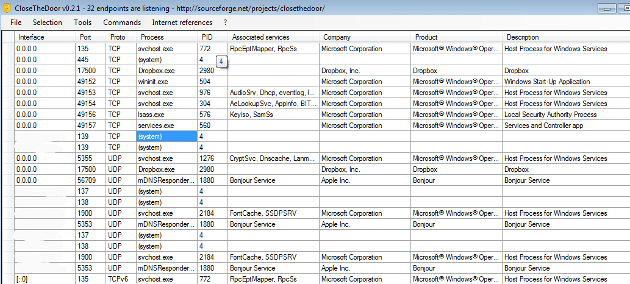
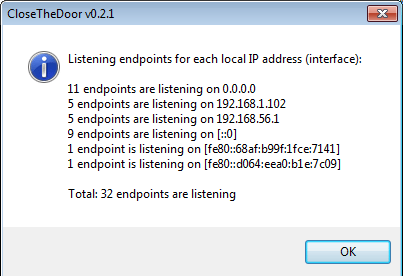
identifies the listening ports for TCP/UDP over IPv4/v6 and the
associated program files. This can help a technician discover security
holes and find leaks in a system. It can also find vulnerabilities to
help diagnose and prevent future malicious attacks. On a basic level it
is a great tool to see all open ports in a visual manner.
CloseTheDoor
identifies the listening ports for TCP/UDP over IPv4/v6 and the
associated program files. This can help a technician discover security
holes and find leaks in a system. It can also find vulnerabilities to
help diagnose and prevent future malicious attacks. On a basic level it
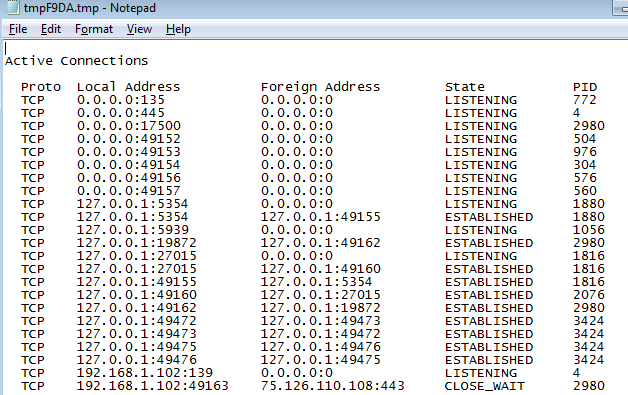
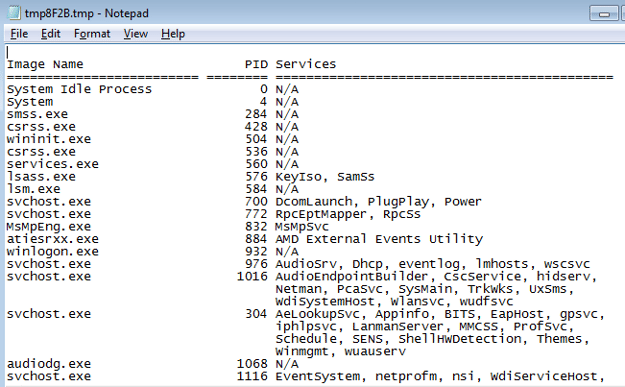
is a great tool to see all open ports in a visual manner.It’s amazing how many options are given to you within this program. CloseTheDoor condenses many tasks and command line programs within its simple menu system. This include information that you could find using NET commands, regedit, and services.msc, and well as Googling an unknown process.
Here is a list of some of the submenu items:
File:
- locate
- terminate
- process
- Google port or process
- Wikipedia (search for Wikipedia entry)
- statistics
- grc.com port authority (search Gibson Research for info on a particular process)
- services
- task manager
- net connections
- system configuration
- regedit
- local security settings
- net stats
- Enumerate all listening ports for IPv4/IPv6
- Gather informations about the listening ports
- Ability to disable potentially dangerous ports
Screenshots

No comments:
Post a Comment